This post will guide you how to install Sentora on CentOS 7. You can also install it on CentOS 6, Ubuntu 12.04 and Ubuntu 14.04.
Are you looking for an alternative of cPanel as a web hosting control panel? If so then you can try Sentora.
Sentora is an open-source web hosting control panel built specifically to work on a variety of Linux distributions. It is licensed under the GPLv3 and is developed and maintained by the original members of the ZPanel team.
Requirements:
– CentOS 7 Minimal Installation
– Disable SELINUX config
– a DNS server configured with a sub-domain pointing to this CentOS IP Address
Let’s go to the step by step:
1. Update the CentOS 7 operatig system
yum -y update
2. Install wget tool to download the installation file
yum install wget -y
3. Download the installation file using wget and make it executable
wget http://sentora.org/install
chmod +x install
4. Start the installation by executing install script
./install

############################################################
#  Welcome to the Official Sentora Installer 1.0.1  #
############################################################

Checking that minimal requirements are ok
Detected : CentOs  7  x86_64
Ok.
DB server will be mariaDB

-- Installing wget and dns utils required to manage inputs
Loaded plugins: fastestmirror
Loading mirror speeds from cached hostfile
 * base: mirrors.psychz.net
 * extras: mirror.keystealth.org
 * updates: mirrors.easynews.com
No packages marked for update
Package 32:bind-utils-9.9.4-14.el7_0.1.x86_64 already installed and latest version
Package wget-1.14-10.el7_0.1.x86_64 already installed and latest version
Preparing to select timezone, please wait a few seconds...
Package tzdata-2015a-1.el7_0.noarch already installed and latest version
Please identify a location so that time zone rules can be set correctly.
Please select a continent or ocean.
 1) Africa
 2) Americas
 3) Antarctica
 4) Arctic Ocean
 5) Asia
 6) Atlantic Ocean
 7) Australia
 8) Europe
 9) Indian Ocean
10) Pacific Ocean
11) none - I want to specify the time zone using the Posix TZ format.
#? 2

Please select a country.
 1) Anguilla		     28) Haiti
 2) Antigua & Barbuda	     29) Honduras
 3) Argentina		     30) Jamaica
 4) Aruba		     31) Martinique
 5) Bahamas		     32) Mexico
 6) Barbados		     33) Montserrat
 7) Belize		     34) Nicaragua
 8) Bolivia		     35) Panama
 9) Brazil		     36) Paraguay
10) Canada		     37) Peru
11) Caribbean Netherlands    38) Puerto Rico
12) Cayman Islands	     39) St Barthelemy
13) Chile		     40) St Kitts & Nevis
14) Colombia		     41) St Lucia
15) Costa Rica		     42) St Maarten (Dutch part)
16) Cuba		     43) St Martin (French part)
17) Curacao		     44) St Pierre & Miquelon
18) Dominica		     45) St Vincent
19) Dominican Republic	     46) Suriname
20) Ecuador		     47) Trinidad & Tobago
21) El Salvador		     48) Turks & Caicos Is
22) French Guiana	     49) United States
23) Greenland		     50) Uruguay
24) Grenada		     51) Venezuela
25) Guadeloupe		     52) Virgin Islands (UK)
26) Guatemala		     53) Virgin Islands (US)
27) Guyana
#? 49

Please select one of the following time zone regions.
 1) Eastern Time
 2) Eastern Time - Michigan - most locations
 3) Eastern Time - Kentucky - Louisville area
 4) Eastern Time - Kentucky - Wayne County
 5) Eastern Time - Indiana - most locations
 6) Eastern Time - Indiana - Daviess, Dubois, Knox & Martin Counties
 7) Eastern Time - Indiana - Pulaski County
 8) Eastern Time - Indiana - Crawford County
 9) Eastern Time - Indiana - Pike County
10) Eastern Time - Indiana - Switzerland County
11) Central Time
12) Central Time - Indiana - Perry County
13) Central Time - Indiana - Starke County
14) Central Time - Michigan - Dickinson, Gogebic, Iron & Menominee Counties
15) Central Time - North Dakota - Oliver County
16) Central Time - North Dakota - Morton County (except Mandan area)
17) Central Time - North Dakota - Mercer County
18) Mountain Time
19) Mountain Time - south Idaho & east Oregon
20) Mountain Standard Time - Arizona (except Navajo)
21) Pacific Time
22) Pacific Standard Time - Annette Island, Alaska
23) Alaska Time
24) Alaska Time - Alaska panhandle
25) Alaska Time - southeast Alaska panhandle
26) Alaska Time - Alaska panhandle neck
27) Alaska Time - west Alaska
28) Aleutian Islands
29) Hawaii
#? 1

The following information has been given:

	United States
	Eastern Time

Therefore TZ='America/New_York' will be used.
Local time is now:	Tue Mar 24 10:12:08 EDT 2015.
Universal Time is now:	Tue Mar 24 14:12:08 UTC 2015.
Is the above information OK?
1) Yes
2) No
#? 1

=== Informations required to build your server ===
The installer requires 2 pieces of information:
 1) the sub-domain that you want to use to access Sentora panel,
   - do not use your main domain (like domain.com)
   - use a sub-domain, e.g panel.domain.com
   - or use the server hostname, e.g server1.domain.com
   - DNS must already be configured and pointing to the server IP
       for this sub-domain
 2) The public IP of the server.


Enter the sub-domain you want to access Sentora panel: sentora.techonia.com
Enter (or confirm) the public IP for this server: 104.131.1xx.120

OK: DNS successfully resolves sentora.techonia.com to 104.131.1xx.120

All is ok. Do you want to install Sentora now (y/n)? y
As you can see above, DNS must be able to resolve the sub-domain to IP for this server. If not, the installation will stop here.
Daemon run complete! (10:18 24th Mar 2015 EDT)
Restarting mariadb
Restarting httpd
Restarting postfix
Restarting dovecot
Restarting crond
Restarting named
Restarting proftpd
Restarting atd
########################################################
 Congratulations Sentora has now been installed on your
 server. Please review the log file left in /root/ for
 any errors encountered during installation.

 Login to Sentora at http://sentora.techonia.com
 Sentora Username  : zadmin
 Sentora Password  : 3Z3ag0LSC16xxxxx

 MySQL Root Password      : 0zVftU6U44lxxxxx
 MySQL Postfix Password   : TB1NgFTKhONxxxxx
 MySQL ProFTPd Password   : vvqZDvqGfw7xxxxx
 MySQL Roundcube Password : Amckr2h7pjExxxxx
   (theses passwords are saved in /root/passwords.txt)
########################################################

Restart your server now to complete the install (y/n)? y
The server will restart to complete the installation. Once it boots up, you can access it using a web browser:
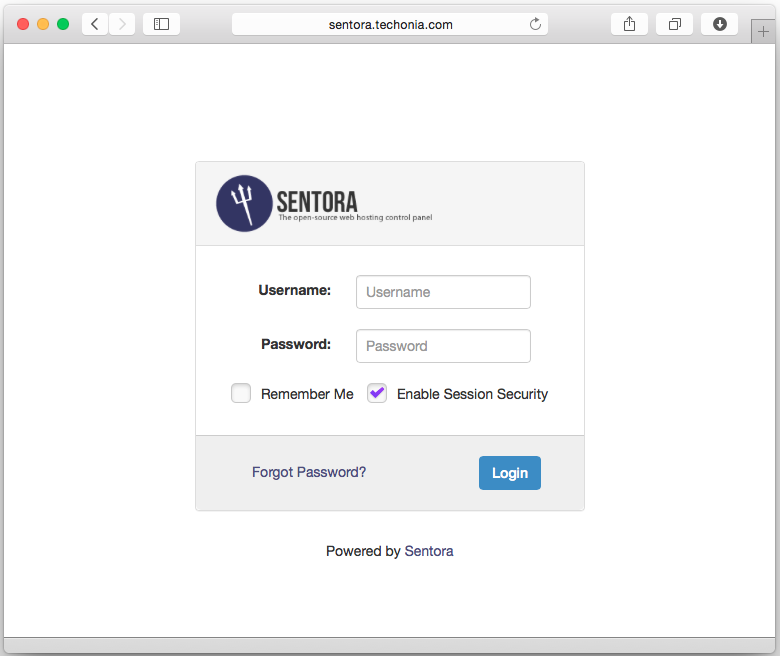
Use username / password generated by the installation script to login. Once you logged in you can start creating new domains, web hostings, and email hostings.