
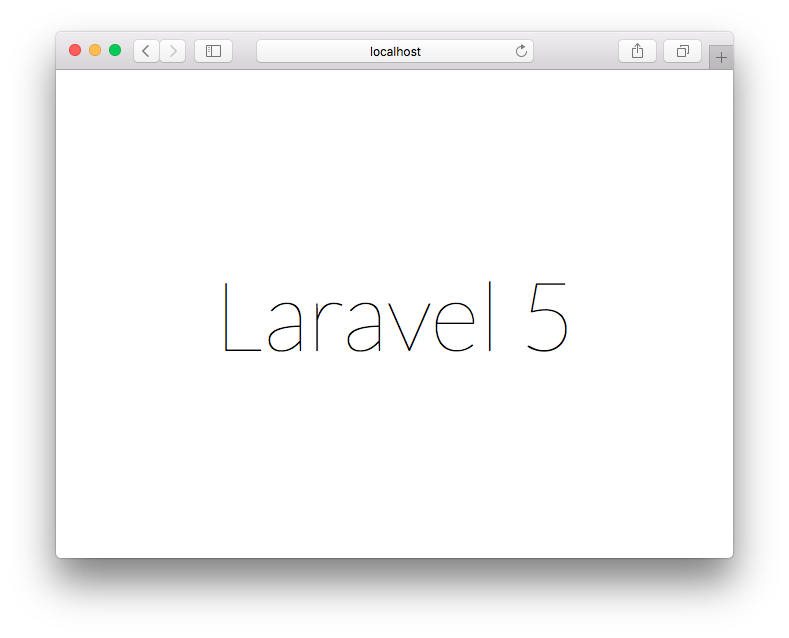
Laravel is known as a popular PHP Framework to build your web application faster. Many web developers is now using and loving to use Laravel for their PHP framework.
I just upgraded my MacBook to run OS X 10.11 El Capitan Beta version. On this post would like show you how to setting up Laravel on OS X El Capitan.
Install composer
Run the command below to install composer.
$ curl -sS https://getcomposer.org/installer | php
#!/usr/bin/env php
All settings correct for using Composer
Downloading...

Composer successfully installed to: /Users/fuad/composer.phar
Use it: php composer.phar
Move the downloaded ‘composer.phar’ to system $PATH and change it file name to just ‘composer’
$ sudo mv composer.phar /usr/local/bin/composer
Install Laravel using composer
Run the following command to start installing Laravel
composer global require "laravel/installer=~1.1"
You should see some thing like below
$ composer global require "laravel/installer=~1.1"
Changed current directory to /Users/fuad/.composer
./composer.json has been created
Loading composer repositories with package information
Updating dependencies (including require-dev)
  - Installing symfony/process (v2.7.3)
    Downloading: 100%

  - Installing symfony/console (v2.7.3)
    Downloading: 100%

  - Installing react/promise (v2.2.1)
    Downloading: 100%

  - Installing guzzlehttp/streams (3.0.0)
    Downloading: 100%

  - Installing guzzlehttp/ringphp (1.1.0)
    Downloading: 100%

  - Installing guzzlehttp/guzzle (5.3.0)
    Downloading: 100%

  - Installing laravel/installer (v1.2.1)
    Downloading: 100%

symfony/console suggests installing symfony/event-dispatcher ()
symfony/console suggests installing psr/log (For using the console logger)
Writing lock file
Generating autoload files
Create Laravel site
Start to create new Laravel site by typing ‘laravel new mysite’
$ laravel new mysite
Crafting application...
> php -r "copy('.env.example', '.env');"
> php artisan clear-compiled
> php artisan optimize
Generating optimized class loader
> php artisan key:generate
Application key [dTdIcu1XIBDLTyHlb5FI5p3FuuUUuekV] set successfully.
Application ready! Build something amazing.
Run the Laravel server
$ cd mysite/
$ php artisan serve
Laravel development server started on http://localhost:8000/
You can access the web page at http://localhost:8000/ using your favourite browser.

Pak Fuad…
aku muridmu waktu di MTS WH
Hi Agung, What are you doing here hahaha!!
lagi nyari-nyari referensi Zimbra bwat centos 6 pak…
malah ketemu Blog punya bapak…
ahahahahah